What Actually Changed: A Visual Walkthrough of an AI-Assisted Refactor
Categories: ai, engineering, refactoring
In the last post, I talked about how to think about refactoring with AI:
- define constraints
- stay disciplined
- iterate in small, testable steps
That all sounds nice.
But what did it actually look like?
This is the visual version of that process—the messy middle included.
Each screenshot maps to a specific rule change, not just a visual tweak.
1. The Starting Point (Systems Fighting Each Other)
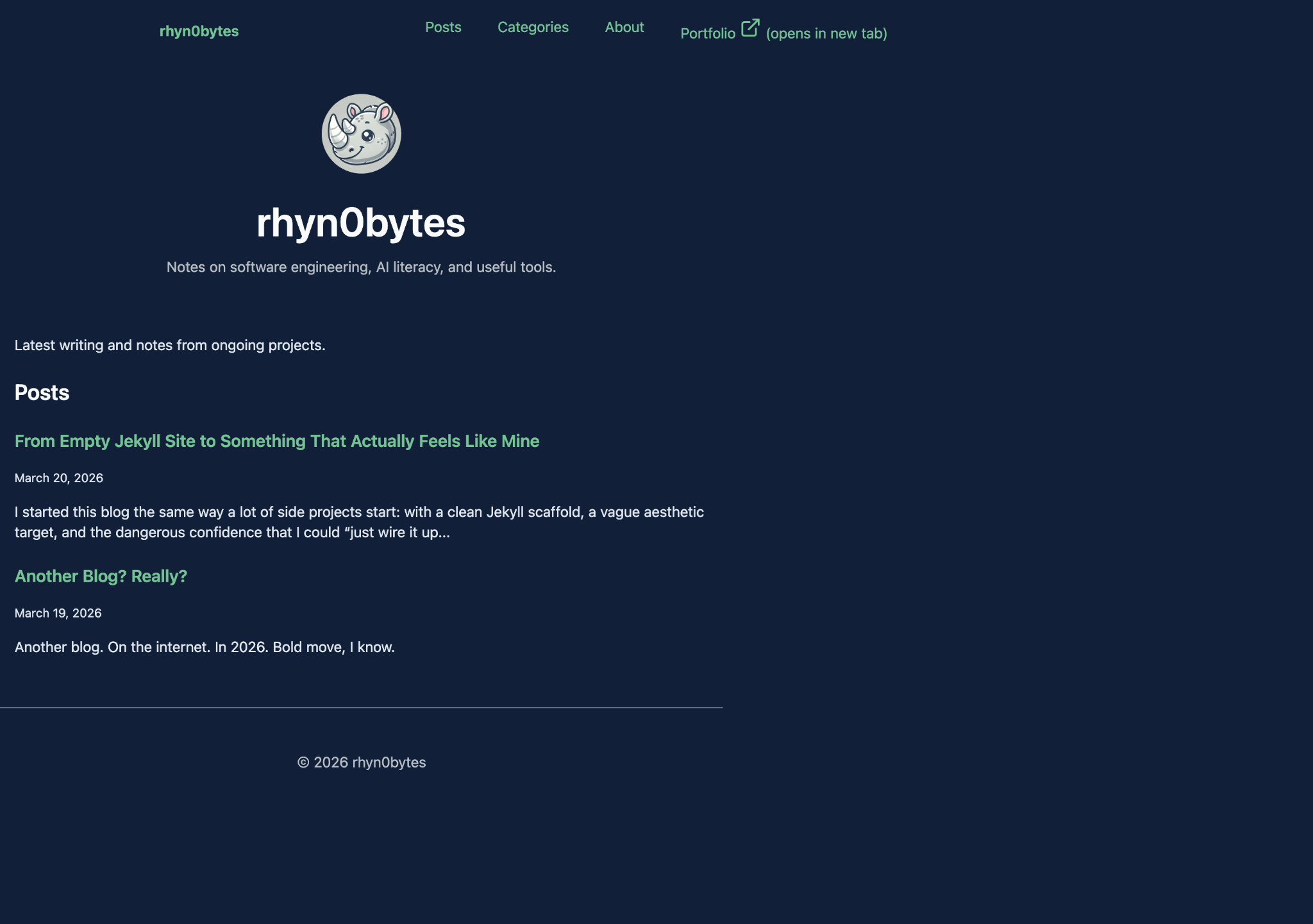
At a glance, nothing looks obviously broken.
But everything is slightly off.
What was actually happening:
- content is left-aligned instead of centered
- no consistent container width
- multiple style systems competing
It looks fine… until you try to change anything.
2. The “Centered” Illusion (Debugging with a Centerline)
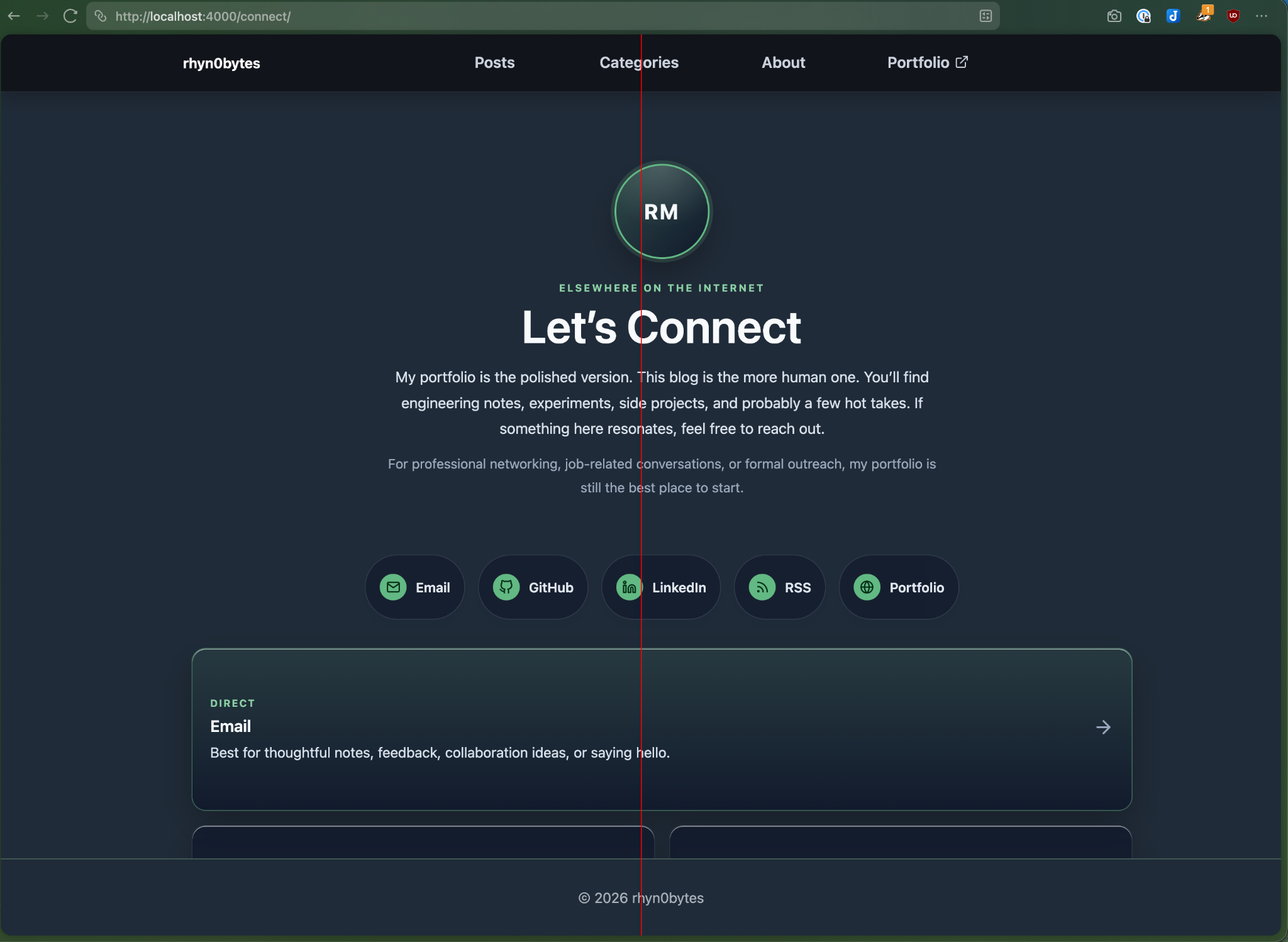
I added a simple centerline overlay to verify alignment.
That’s when the illusion broke.
What this revealed:
- the layout was not actually centered
- elements were visually “close enough,” but structurally wrong
- spacing drifted across sections
If you can’t prove it’s centered, it probably isn’t.
3. Mid-Refactor Reality (Progress… and New Problems)
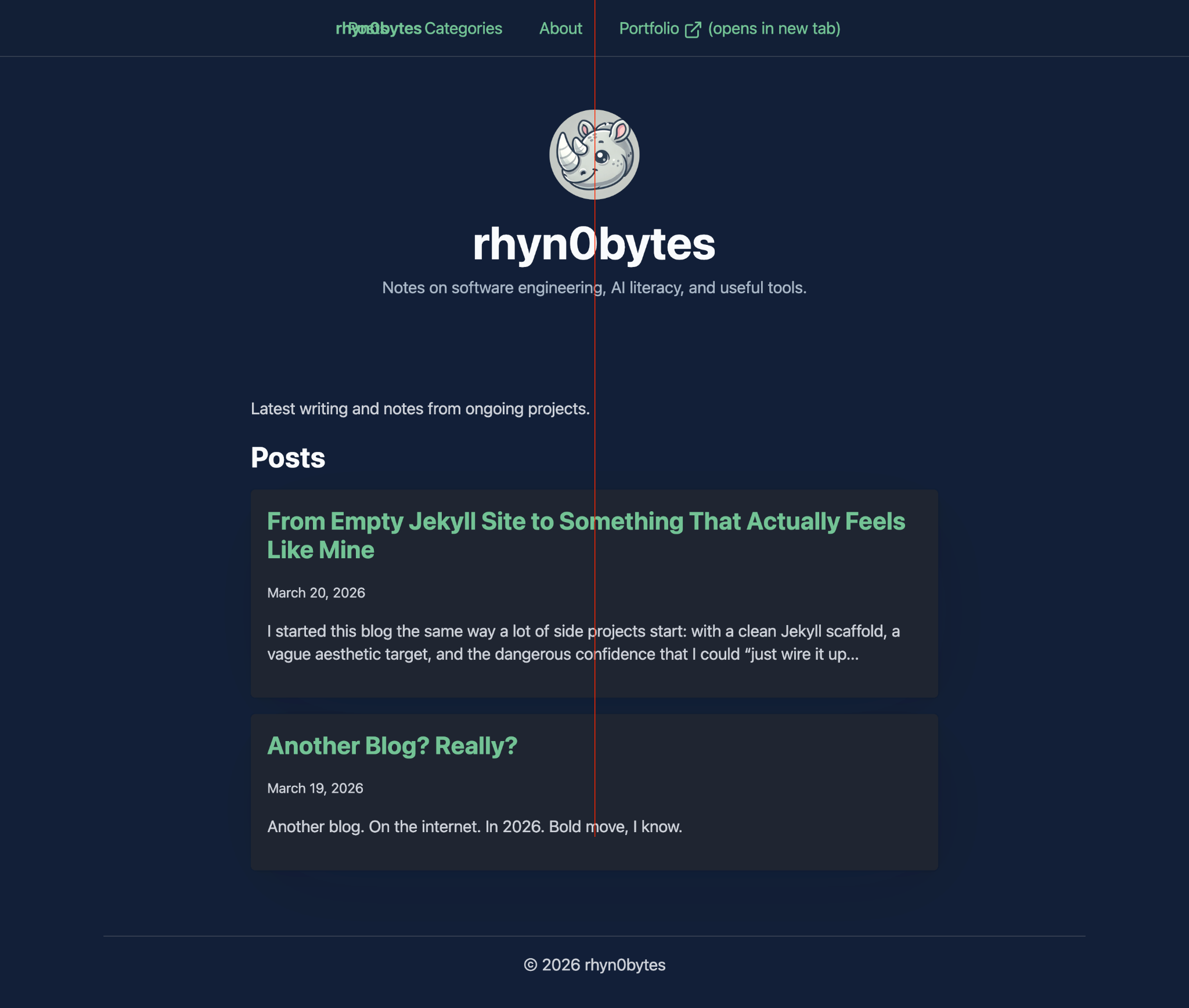
At this stage:
- content was finally centered
- layout rules were starting to stabilize
…but the navigation was clearly off.
The breakage was useful: it proved the new layout model was actually taking control, and exposed the assumptions that had been hidden in older styles.
What changed:
- a real container model emerged
- spacing became more predictable
What broke:
- nav alignment
- header consistency
This is where most refactors fall apart.
4. The System Locks In (Everything Becomes Predictable)
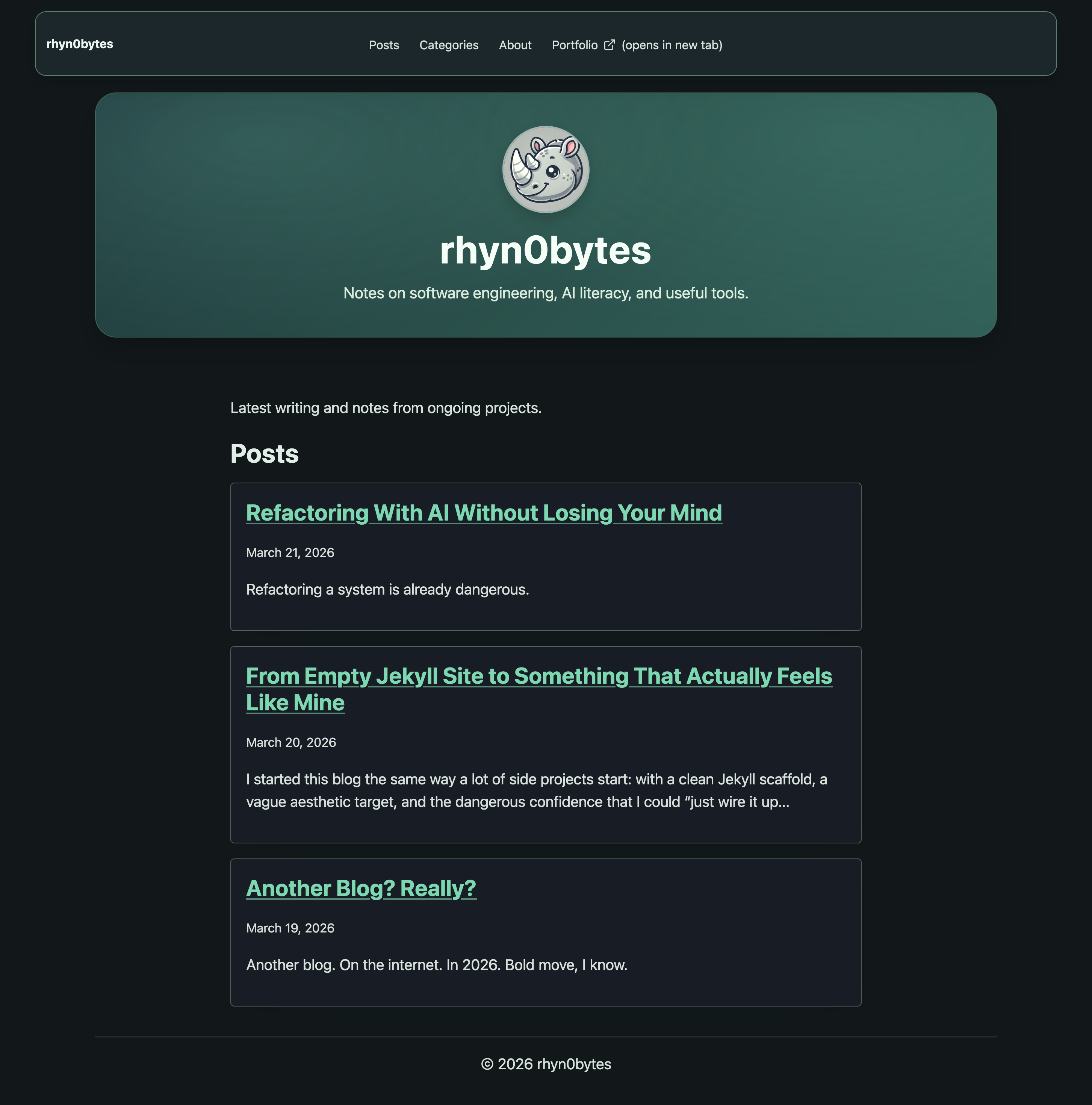
Once the layout model was fully defined:
- max-width was consistent
- margins were intentional
- components aligned naturally
No more fighting the system.
The layout stopped being a collection of fixes and became a set of rules.
5. What Made This Work
These screenshots show the output.
They don’t show the most important part:
- constraints defined before changes
- small, surgical patches
- constant validation against real output
Validation happened at three levels: rendered output, spacing behavior by breakpoint, and contrast/accessibility checks.
Without that, this would have turned into:
“It looked better… until it didn’t.”
If you want to copy this process: define non-negotiables first, then only accept patches that preserve them.
Closing Thought
The goal wasn’t to make it look right.
The goal was to make it stay right.
And that only happened once the system was clear—both to me, and to the AI helping me implement it.
Clear constraints turned AI from a suggestion engine into a reliable implementation layer.